


Workspace
The desk, chair, peripherals, and lighting that make working from home feel less like a kitchen-table compromise.
Editor's picks
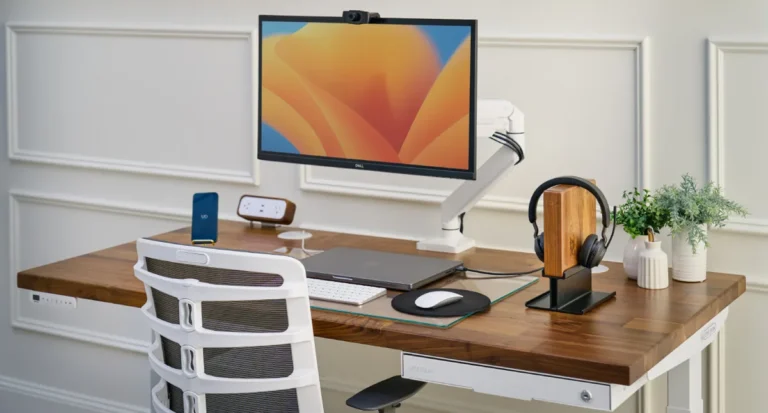 Editor's choice
UPLIFT V2 Review (2026): A Year In, Here's What Holds Up
Category-best standing desk for a narrower buyer profile than UPLIFT's marketing implies. Frame stability at full standing height (above 45 inches) is…
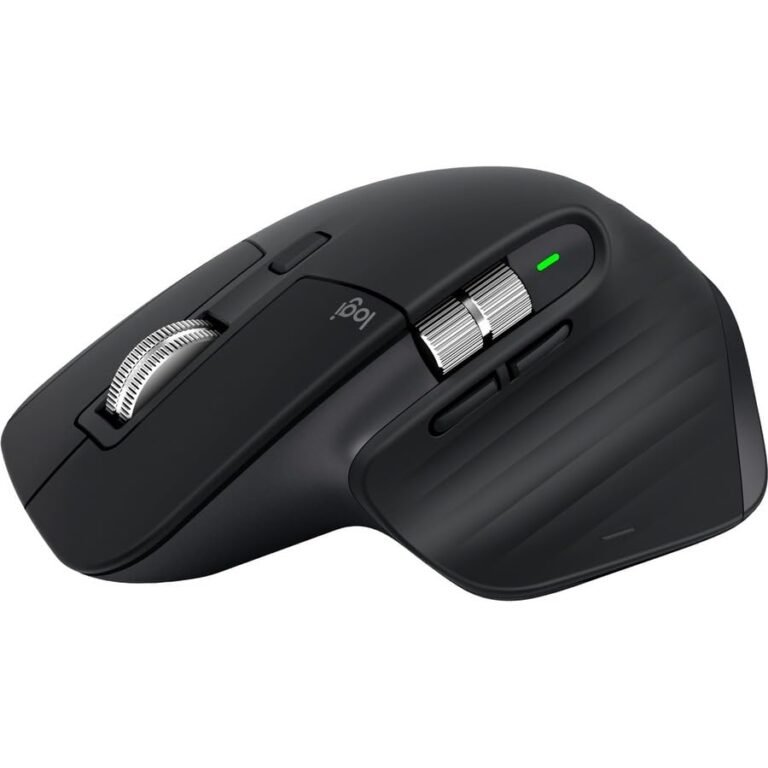
Logitech MX Master 3S Review (2026): The WFH Productivity Mouse, Honestly Assessed
The productivity mouse most worth $99 in 2026. The electromagnetic scroll wheel and per-application button remapping are the features owners point to…
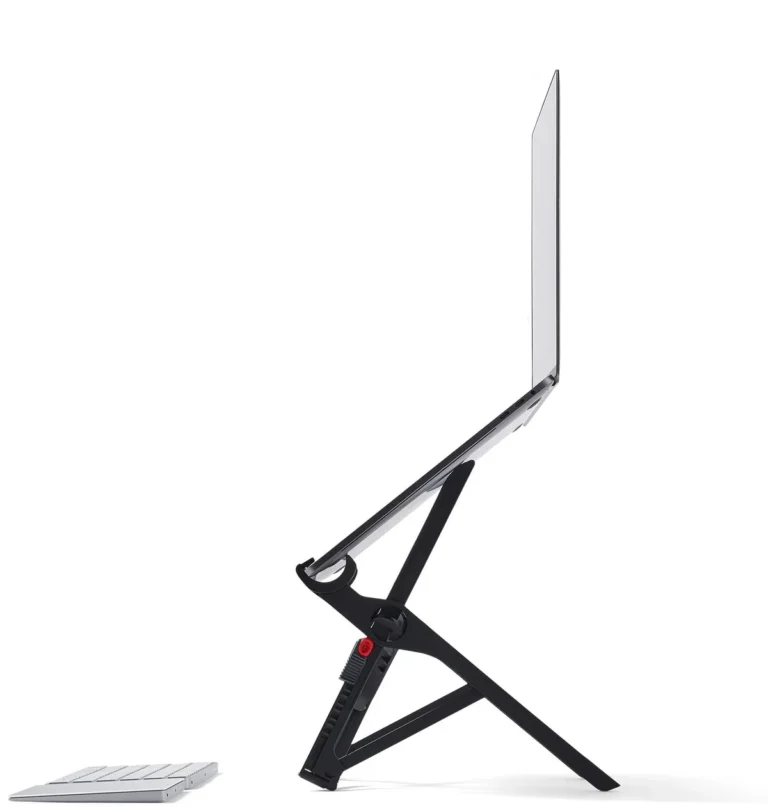
Roost V3 Laptop Stand Review (2026): The Portable Ergonomic Pick
The right laptop stand for the WFH-mobile crowd. 6.4 oz folded to magazine-roll size, 15-second deploy, stable at max height. Skip if…
READER FAVORITES
Most clicked this month
The products readers actually go check prices on, from our own click counter. Updated weekly.
Workspace coverage on this site is built for remote workers in apartments, not for suburban home offices with a dedicated room and a wired-in monitor arm. The picks here cover three formats: a spare-room office, a corner of a living room, and a coffee-shop nomad setup that travels. Everything is filtered through the same renter-compatibility rule we apply across the rest of the site, plug-in only, no permanent installation, removes cleanly at move-out.
The remote-work setup that actually saves your back
Most ergonomic-office advice was written for people with a full conference-room-sized office to work with. The math changes when your “office” is a 30-inch desk in a 100-square-foot spare room, or a corner of the living room next to the bookshelf, or a folding table that comes out for the workday and disappears at 5pm. The ergonomic principles are the same; the gear choices that meet them are different.
The three principles that actually matter for an apartment workstation: monitor at eye level (which usually means a laptop stand), chair with real lumbar support (which means $200 to $500, not the $89 special), and a sit-stand option (which has more evidence behind it than any other single ergonomic intervention). The rest is optimization once those three are in place.
For the full ergonomic-setup walkthrough in a small space, see How to Set Up an Ergonomic Home Office in a 100 sq ft Spare Room or the broader WFH Corner in a Small Apartment guide for the no-spare-room version.
The desk (the highest-impact single purchase)
For most remote workers under $1,000, the UPLIFT V2 standing desk at $799 is the pick. Dual-motor lift, 355-pound capacity, 50.6-inch max height, 7-year warranty that explicitly covers the motors (the part that actually fails on cheaper desks). Frame stability at full height is the best in the under-$1,000 category. Wirecutter, BTOD, and the r/StandingDesks consensus have it as the top pick for four years running.
If the $799 is past budget, the value pick is the Flexispot E7 Pro at around $549. Closes most of the build-quality gap for $250 less, with the honest tradeoff that the 5-year warranty excludes motors past year one. The full ranked picks across the price tiers are in The 5 Best Standing Desks Under $1,000, which covers from the SHW 55-inch (~$190) at the budget floor up to the Autonomous SmartDesk Pro (~$899) for users over 6 ft 4 in who need the extra height range.
For renters specifically, the standing desks on this list all work plug-in only and come apart for moving (the bamboo desktop is the heaviest component, typically about 60 pounds for a 60-by-30-inch surface). None of them require wall anchors or built-in cable management.
The chair (the second-highest-impact purchase)
Most remote workers underspend on the chair and overspend on the monitor or the keyboard. The chair is what your body sits in for 30+ hours a week. Cheap office chairs (under $200) typically fail at year two on the lumbar adjustment, the gas cylinder, or the armrest mechanism. Real office chairs (Herman Miller, Steelcase, refurbished Aeron at $400 to $700, or new at $1,000+) outlast multiple computer setups.
The ranked picks in the under-$300 segment are in The 5 Best Office Chairs Under $300 for WFH. The honest framing: at this price tier, you’re picking from a narrow band of acceptable chairs, and the right choice depends more on your body geometry than on the chair’s spec sheet. Tall (over 6 ft) users need a different chair than short (under 5 ft 4) users; the same chair won’t work for both.
Above $300, the refurbished Herman Miller Sayl or refurbished Aeron is the value play. Buy from a reputable refurbisher (Crandall Office Furniture is the consensus pick on r/StandingDesks and r/OfficeChairs), expect to spend $400 to $700, and you’ll have a chair that lasts 10+ years.
The laptop and monitor question
A laptop sitting flat on a desk forces a head-down posture that’s the single biggest cause of neck pain in remote work. The fix is either a laptop stand (so the screen rises to eye level) plus an external keyboard, or an external monitor (so the laptop becomes a secondary screen and the monitor handles the primary work).
For the laptop-stand path, the Roost V3 Laptop Stand at about $90 is the pick that travels. Folds to the size of a wallet, elevates a laptop screen to eye level anywhere (coffee shop, hotel room, kitchen counter), and removes the need for a separate monitor on a no-desk setup. The honest framing: $90 for a laptop stand sounds steep against the $30 metal alternatives, but the Roost’s foldability is the actual feature you’re paying for. If you don’t travel with the laptop, a $30 metal stand at home works fine.
For the external-monitor path, a 27-inch 1440p IPS monitor in the $250 to $400 range is the sweet spot. We don’t have individual monitor reviews yet (planned for the workspace pillar expansion), but the Dell U2723QE or LG 27UP850-W are the consensus picks across r/buildapc and Wirecutter for the WFH-non-gamer use case.
The keyboard and mouse (smaller-dollar but high-touchpoint)
You touch these tools more than any other piece of office equipment. The marginal upgrade from the laptop keyboard plus the included mouse to a standalone keyboard plus a proper mouse is one of the highest-leverage productivity changes in WFH gear.
For the mouse, the Logitech MX Master 3S at about $100 is the pick we point most remote workers to. Sculpted ergonomic shape, near-silent click, electromagnetic scroll wheel that flips between ratchet and free-spin, and 70-day battery on a charge. It’s not the cheapest mouse, but the wrist-fatigue reduction over a workday is real.
For the keyboard, a mechanical keyboard in the $80 to $150 range covers most WFH needs. Keychron K2/K8 series, Logitech MX Mechanical Mini, or the Lofree Flow are the names that keep coming up in our research. We haven’t published individual keyboard reviews yet; that’s on the editorial backlog.
Lighting a WFH setup (the underrated layer)
Most rental lighting is one harsh overhead bulb directly above the desk, which produces glare on the screen and eye fatigue by 3pm. The fix is the same three-layer pattern we apply across other rooms: bulb swap to 4000K cool-white for the overhead (workspaces want cooler color temperatures than bedrooms), a desk lamp or monitor light bar for task lighting, and an ambient strip for the area behind the monitor (cuts the contrast between bright screen and dark wall, which is what causes most digital eye strain).
The Govee LED Strip M1 we recommend in the bedroom pillar also works as a monitor backlight at the desk. Same product, different deployment. For a desk lamp, the BenQ ScreenBar at $109 is the consensus pick for monitor-mounted task lighting; we haven’t published an individual review but the gear consistently shows up in the r/MonitorLamps top recommendations.
The full $1,500 WFH setup (one specific build)
For readers who want the complete buy-once setup laid out as a single shopping list, our Best WFH Desk Setup Under $1,500 roundup is the answer. The picks (current as of 2026):
- UPLIFT V2 standing desk with bamboo top ($799)
- Refurbished Herman Miller Sayl or budget chair under $300
- 27-inch 1440p IPS monitor ($300)
- Logitech MX Master 3S mouse ($100)
- Mechanical keyboard in the $80 to $120 range
- BenQ ScreenBar monitor lamp ($109)
- Roost laptop stand for the travel-mode setup ($90)
The math works out under $1,500 if you skip the refurbished chair and use a $200 office chair instead. Going slightly over $1,500 to get a refurbished Aeron is the upgrade we’d recommend if back pain is the driver.
Recovery (when the chair isn’t enough)
Long days at a desk produce a specific set of muscular complaints: tight upper traps, locked-up hip flexors from sitting, lower-back stiffness, forearm tightness from mouse use. The intervention isn’t always more ergonomic gear. Sometimes it’s targeted recovery.
The Theragun Mini at about $200 is the portable percussion massager we cover for upper-back and shoulder release after a sitting-heavy day. Fits in a backpack pocket, runs for about 150 minutes on a charge, and handles the trigger points that an office chair can’t fix. The honest framing: it’s not a substitute for actually moving (walks, stretching, standing breaks); it’s an additive layer for the days when the body needs more.
Rules that apply across the workspace category
Standing desks help only if you actually alternate. A standing desk used as a sitting desk because you forgot is just a more expensive sitting desk. The 50/50 sit-stand ratio over a workday is what the ergonomic research supports. Most desks have a memory preset for the standing height; use it.
Cheap chairs are expensive. A $89 office chair that fails at year two costs $44/year. A $400 refurbished Aeron that lasts 10 years costs $40/year. The math always favors the better chair, and the ergonomic difference per workday is meaningful.
Monitor at eye level is non-negotiable. Laptop screens at desk height are the single biggest cause of neck and upper-back pain in remote work. Fix this first, even before the chair upgrade. A $30 metal laptop stand and a $25 keyboard is a credible interim setup if budget is tight.
Watch the warranty fine print. Standing desk warranties typically cover the steel frame for 5 to 7 years but exclude the motors after year one or two on cheaper picks. The motors are the part that fails. Read which one the warranty actually covers before buying.
All workspace coverage
Guides:
- How to Set Up an Ergonomic Home Office in a 100 sq ft Spare Room (2026)
- How to Set Up a WFH Corner in a Small Apartment (2026)
Listicles:
- The 5 Best Standing Desks Under $1,000 (2026)
- The 5 Best Office Chairs Under $300 for WFH (2026)
- The Best WFH Desk Setup Under $1,500 (2026)
Reviews:
For broader apartment context (storage, decor, the no-drill rules), see the apartment pillar. For sleep gear, see the sleep pillar. For the bedroom-as-also-office layout question, see the bedroom pillar.
Frequently asked questions
What’s the single highest-leverage WFH purchase under $100? A laptop stand plus a basic external keyboard. Total cost about $60 for a no-fold metal stand plus a $30 wired keyboard. Raises the laptop screen to eye level, gets your wrists into a neutral typing position, and fixes the head-down posture that causes most WFH neck pain. The single highest-impact ergonomic change you can make at this price.
Is a standing desk worth $799 when I can get one for $200? Depends on usage. For daily-use WFH over 30 hours a week for several years, yes; the UPLIFT V2’s dual-motor stability and 7-year motor warranty pay back over a decade in a way the $200 single-motor budget desks don’t. For a secondary or occasional-use setup, the budget pick is fine. The differentiator past year three is motor reliability, which is where the cheaper desks fail.
Should I buy a refurbished Herman Miller Aeron? If your budget is $400 to $700 and you can spend 30 minutes finding a reputable refurbisher (Crandall Office Furniture is the consensus pick), yes. A refurbished Aeron lasts 10+ years, has the best ergonomic adjustability in any chair under $1,500, and the resale value holds (if you move and need to sell it, you’ll get most of your money back). The risk is buying from a sketchy refurbisher; the foam can degrade in storage and the parts vary by year of manufacture.
What’s the best way to set up a WFH corner when I don’t have a spare room? Pick a corner of the room you don’t use for relaxation (the living room near the window or the kitchen-adjacent dining nook are common). Use a folding desk that can compact when you’re not working (the IKEA NORDEN or any 40-by-20 folding rectangular table works). Put the chair in a closet at end-of-day if visually closing the workday matters. The full walkthrough is in How to Set Up a WFH Corner in a Small Apartment.
What’s the biggest mistake remote workers make with their setup? Spending on the monitor and the keyboard before fixing the chair and the laptop height. The chair and the screen position drive 80% of the long-term postural complaints. The monitor specs and the mechanical keyboard are optimization on top of that foundation. Get the foundation right first.
Last updated: May 2026. Prices shift; verify on the retailer listing before you buy. For more across the site, see the apartment pillar, the bedroom pillar, or the About page.
All reviews
UPLIFT V2 Review (2026): A Year In, Here's What Holds Up
Category-best standing desk for a narrower buyer profile than UPLIFT's marketing implies. Frame stability at full standing height (above 45 inches) is…
Roost V3 Laptop Stand Review (2026): The Portable Ergonomic Pick
The right laptop stand for the WFH-mobile crowd. 6.4 oz folded to magazine-roll size, 15-second deploy, stable at max height. Skip if…
Logitech MX Master 3S Review (2026): The WFH Productivity Mouse, Honestly Assessed
The productivity mouse most worth $99 in 2026. The electromagnetic scroll wheel and per-application button remapping are the features owners point to…
No reviews match this filter combination.