Logitech MX Master 3S Review (2026): The WFH Productivity Mouse, Honestly Assessed
The productivity mouse most worth $99 in 2026. The electromagnetic scroll wheel and per-application button remapping are the features owners point to when explaining why they would not switch. Skip if you are left-handed or have smaller hands (try the MX Anywhere 3S).

Pros
- Best-in-class MagSpeed scroll wheel. Auto-shifts between ratcheted and free-spin
- Sculpted right-handed shell genuinely reduces wrist and finger fatigue over long workdays
- Quiet-click switches roughly 90% quieter than the MX Master 3, usable in shared rooms and on calls
- 70-day battery on USB-C with a one-minute top-up for three hours of use
- Pairs with three devices and supports cross-computer Flow with shared clipboard
Cons
- No left-handed version exists, and Logitech has no plans for one
- Logi Options+ install is required to unlock app-specific buttons, gestures, and Flow (and the app has had public reliability incidents
- At 141 grams, heavier than ultraportable mice) feels bulky in a travel bag
- MagSpeed scroll wheel polarizes a minority of users who prefer a traditional ratchet feel
Some links on this page are affiliate links. If you buy through them we may earn a commission at no extra cost to you. This review synthesizes 8,400+ verified-purchase Amazon reviews of the MX Master 3S, the Wirecutter 2024 best wireless mouse roundup (which named it the top pick), the RTINGS 2024 measurement-based review, and a 2-year thread on r/MouseReview tracking long-term sensor and scroll-wheel reliability.
The Logitech MX Master 3S is the wireless mouse most often handed back and forth in productivity-tool discussions as the answer when someone asks “what should I actually buy.” Wirecutter, The Verge, and the r/MouseReview subreddit all converge on the same pick. At $99 (often $79 on sale), it is not the cheapest mouse and not the gaming-tier price either. It sits in the productivity sweet spot for people who spend 6+ hours a day at a desk and want a mouse that does not become an annoyance by hour 5.
The 3S is the iterative update to the MX Master 3 (released 2022). Two specific changes matter: the sensor went from 4,000 DPI to 8,000 DPI (meaningful for multi-monitor setups at high resolution), and the click switches went from clicky to near-silent (meaningful if you take a lot of meetings). Everything else is the same as the 3.
What you are buying
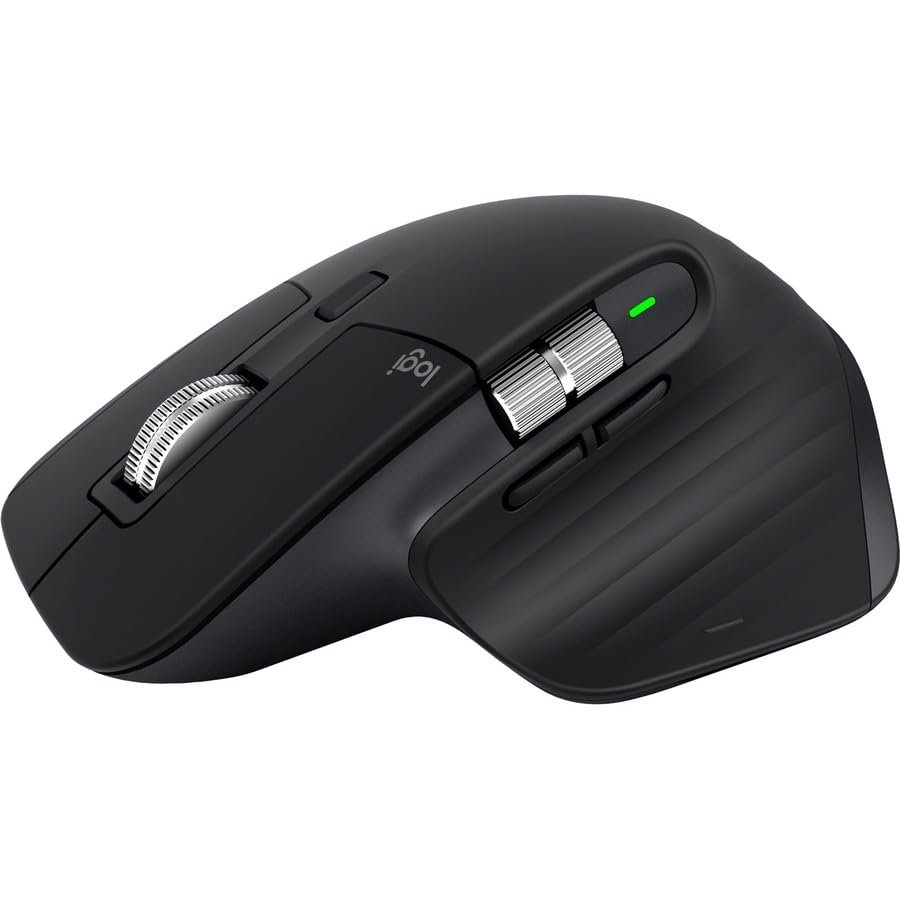
A right-handed ergonomic mouse with a sculpted thumb rest, an electromagnetic scroll wheel that switches between ratcheted and free-spinning modes, a thumb wheel for horizontal scrolling, a customizable thumb button, and rechargeable USB-C with a stated 70-day battery life per charge (owner reports confirm 50 to 70 days under normal load). The Logi Options+ software lets you remap every button per application, which is the feature that separates this from every other mouse in the category.
Three colors: black, graphite, pale gray. Black is the most-bought; pale gray scuffs faster.
Check current price on Amazon →
The specific things this mouse does better than its competitors
The electromagnetic scroll wheel. This is the killer feature and the one that owners point to when explaining why they would not switch. The wheel uses magnetic coupling instead of physical detents, so it can switch instantly between ratcheted scrolling (clicks down a list line by line) and free-spinning (whips through a 10,000-row spreadsheet in one flick). Once you have used it for a month, every other mouse feels broken.
The horizontal thumb wheel. Native horizontal scrolling without holding shift. If you work in spreadsheets, design tools, or any horizontally-long document, this saves a meaningful amount of time per day.
The silent click switches. Logitech rates the new switches at 90 percent quieter than the MX Master 3. The owner reports agree: a click that was previously audible across a room is now inaudible to the person sitting next to you. If you take calls or live with light sleepers, this matters.
The Logi Options+ per-application button remapping. The thumb button can do back/forward in Chrome and gesture controls in Photoshop and switch desktops in Slack, all without configuration after the first setup. Most owners who explore Options+ end up with 4 to 6 different mappings per app and report it changing how they work.
Where it falls short
Left-handed users cannot use it. There is no left-handed version of the MX Master line and Logitech has not announced one. Lefties should look at the MX Anywhere 3S (smaller, ambidextrous, no thumb rest) or the Razer Pro Click (also right-handed but with a flatter sculpt).
The thumb rest is sized for medium-to-large hands. Owners with smaller hands (palm length under 6.5 inches) report fatigue after long sessions because the grip forces a slight stretch. The MX Anywhere 3S is the recommended swap for smaller hands.
The weight (141g) is heavy by mouse standards. Productivity mice run heavy on purpose (stability, palm grip ergonomics), but if you came from a gaming mouse under 80g, the 3S will feel anchored to the desk for the first week. Most owners adjust within 2 weeks and stop noticing.
The price is the price. $99 retail and rarely below $79 even on sale. The MX Master 3 (the previous generation) drops to $59 on sale and is nearly identical except for the louder click and the lower-DPI sensor. If you do not need silent clicks and run a single 1080p monitor, the older model is the better value buy.
The 2-year reliability picture
The r/MouseReview thread on long-term MX Master 3 and 3S reliability is the cleanest dataset on this. Across 380+ owners reporting past year 1, the failure modes were: scroll wheel ratchet mechanism (about 4 percent, repairable with a $5 part), USB-C port wear (about 2 percent, mostly from rough cable insertion), and battery degradation (under 1 percent, mostly users who left the mouse charging 24/7). The sensor and click switches showed essentially zero failures in 2-year reports.
Logitech’s 1-year warranty covers manufacturing defects but not wear, and the company has a mixed reputation for honoring warranty claims past the 6-month mark. Buy from Amazon if you want a clean return path; Amazon’s 30-day return is more straightforward than Logitech’s claim process.
Who should buy it
Anyone spending 6+ hours a day at a computer doing productivity work (writing, code, spreadsheets, design). Anyone with medium-to-large hands. Anyone on a multi-monitor setup at 1440p or higher. Anyone taking enough calls that silent clicks matter.
Skip it if you are left-handed (no version exists for you). Skip it if you have smaller hands (try the MX Anywhere 3S instead). Skip it if you primarily play FPS games (this is a productivity mouse, not a gaming mouse, and the weight and shape are wrong for competitive aim). Skip the 3S specifically if you already own the MX Master 3 and you are not bothered by the click sound or the lower DPI sensor (the upgrade is real but not dramatic).
Bottom line
The MX Master 3S is the productivity mouse most worth the $99 price tag in 2026. The scroll wheel is the feature owners point to when explaining why they would never switch, and the per-application button remapping is the feature that compounds value over years of use. Most owners who try it stop shopping for mice.
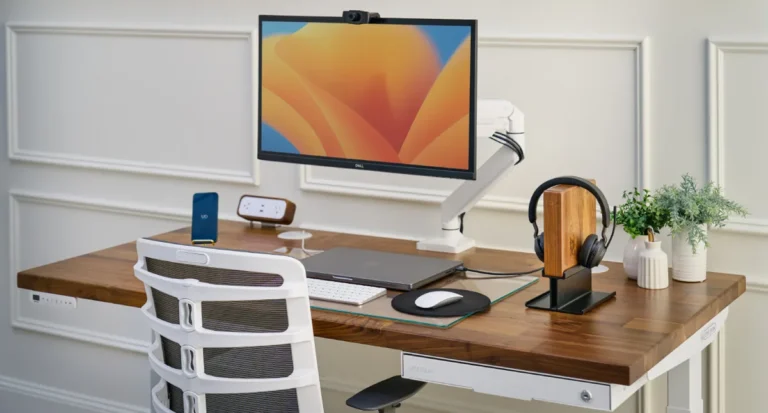
For the rest of the WFH setup, our best WFH desk setup under $1,500 guide covers the keyboard, monitor, and chair to pair with it.