Some links on this page are affiliate links. If you buy through them, we may earn a commission at no extra cost to you. We only recommend products we’d be comfortable using ourselves, and we flag the trade-offs honestly.
The UPLIFT V2 is the standing desk that almost every roundup eventually picks. Tom’s Guide, TechRadar, BTOD, Wirecutter, Reviewed, and the standing-desk subreddit all converge on the same answer when the question is “which one is the safe bet?” That kind of consensus is rare in a category this crowded, and it’s worth understanding why before you click Buy, because the V2 isn’t actually one product. It’s a frame and a configurator, and the difference between a great UPLIFT order and an overpriced one comes down to choices you make at checkout. This is a buyer’s guide for someone trying to spend $700 to $900 and not regret any of it.
TL;DR verdict
The UPLIFT V2 is the standing desk I’d recommend to most full-time desk workers who want a piece of furniture that lasts ten-plus years. The frame is genuinely premium, the dual motors are quiet, the 15-year warranty is the longest in the segment, and the desktop catalog (more than 30 options across bamboo, laminate, eco curve, solid wood, and a rubberwood line) means you can match almost any room. The trade-offs are real and they’re mostly about money. A configured V2 with a bamboo top, programmable keypad, and basic accessories typically lands in the $700 to $900 range (meaningfully more than a comparably-specced FlexiSpot E7), and UPLIFT’s checkout flow is engineered to nudge you toward add-ons that add up fast. If you’re over six feet tall, spend the extra $80 to $120 on the V2-Commercial frame for the wider height range and the more stable four-leg option. If you’re a budget-first buyer or you only stand occasionally, the FlexiSpot E7 gets you 85% of the way there for less.
What it is, and the V2 vs V2-Commercial question
The UPLIFT V2 is an electric height-adjustable desk frame manufactured for UPLIFT Desk (an Austin, Texas company that has been one of the top US standing-desk retailers for over a decade). The frame is sold either bare or paired with a desktop of your choice from UPLIFT’s extensive catalog. Two dual-motor legs lift the desk between roughly 25.5 and 51.1 inches at about 2 inches per second, with a rated lifting capacity of 355 pounds and an anti-collision system that stops the desk if it bumps into a chair, drawer, or knee on the way down.
The V2-Commercial is the heavier-duty sibling. It uses chunkier steel legs, ships in either a 2-leg C-frame or a true 4-leg configuration, and is BIFMA-certified for commercial environments. The 4-leg V2-Commercial bumps the lifting capacity to 535 pounds. Crucially, the V2-Commercial’s two frame variants have different height ranges: the 2-leg C-frame goes lower (21.6 to 47.7 inches), which is great for shorter users, and the 4-leg model adds a crossbar that significantly improves lateral stability at full extension.
Which one should you buy? The honest summary from the testing community is this: the standard V2 is the right pick for most users between roughly 5’4″ and 6’2″ who’ll keep a normal monitor-and-laptop load on the desk. If you’re 6’3″ or taller and want comfortable elbow height while standing, you want the standard V2’s higher reach (51.1 inches). That’s its strongest case. If you’re going to load the desk heavily (dual monitor arms, a CPU on top, a keyboard tray, paperwork), or if you’ve ever wished a standing desk felt rock-solid at full height, the 4-leg V2-Commercial is the upgrade that owners and reviewers most often say was worth the extra $80 to $150. The 2-leg V2-Commercial mostly makes sense if you’re shorter than 5’4″ and want the desk to drop below standard sitting height.
Configuration overview: frame plus desktop
UPLIFT prices everything modularly. You’re buying a frame, a desktop, and any accessories you want (keypad, wire management, casters, monitor arm, CPU mount), and the cart total is the sum of those choices. This is great for transparency, less great if you don’t know going in which add-ons matter and which don’t.
Desktop options. The catalog is genuinely large. The most popular finishes are 1-inch-thick bamboo (carbonized or natural, generally considered the sweet spot of looks, durability, and price), eco curve (a contoured front edge for forearm comfort, available in laminate or bamboo), laminate (the cheapest option and the easiest to wipe clean, 18+ colors), rubberwood (a solid-wood option that punches above its price), reclaimed fir, and acacia. Premium solid hardwood tops (walnut, cherry) push the desktop alone past $700. Sizes run from 42 by 30 inches (compact) up to 80 by 30 inches (oversized), with an L-shape configuration available for corner setups. Most home-office buyers land at 60 by 30 inches with a bamboo top, which is the size most US desks default to and the size you’ll find the most accessory compatibility for.
Keypad and memory. UPLIFT includes a basic up/down keypad as standard, but the four-preset “Advanced” keypad (which lets you save sit and stand heights and tap to recall them) is the single accessory that owners almost universally call worth it. It’s typically a $25 upgrade and turns a desk you have to fiddle with into a desk you actually use.
Wire management. The included wire grommets and basic wire tray are fine for a clean monitor-plus-laptop setup. If you’re running a tower PC, multiple monitors, and lighting, expect to either spend another $50 to $150 on UPLIFT’s vertebrae cable management, magnetic power strips, and CPU mount, or to source equivalents on Amazon for less.
Delivery. Standard ground delivery is free in the contiguous US. The boxes are heavy (the bamboo desktop alone runs 50+ pounds for a 60-inch top, plus a 70-pound frame box). UPLIFT will sell you a white-glove inside-delivery option for around $100 to $150 if carrying boxes upstairs is a problem; most owners skip it and accept curbside.
One housekeeping note before going further: UPLIFT’s primary sales channel is upliftdesk.com, where the full configurator lives. Amazon carries a rotating subset of UPLIFT SKUs (usually frame-only listings and a handful of pre-bundled desk-and-top combinations), but you won’t find every desktop and every accessory there. I link to the Amazon search above because it works for shoppers who already have a Prime account and want a quick path to in-stock options, but if you want to choose your own bamboo grain and edge profile, you’ll be doing that on upliftdesk.com.
What owners consistently mention
Pulling patterns from long-form reviews on Tom’s Guide, TechRadar, BTOD, Reviewed, Workwhilewalking, and the r/StandingDesks community, plus several thousand verified buyer reviews on Amazon and upliftdesk.com, the same themes show up over and over.
What owners love. Build quality is the most-cited win. The frame feels heavy and overbuilt in a way that cheaper desks don’t, the bamboo desktops are noticeably thicker (around 1 inch versus the half-inch tops on entry-level competitors) and arrive with edges that don’t need sanding or sealing, and the dual motors are quiet enough that owners report not waking up sleeping family members when raising the desk in a home office. The 15-year warranty is widely cited as the reason buyers pulled the trigger over a cheaper option. UPLIFT covers the frame, motors, and electronics with the fewest exceptions in the industry, and the support team has a strong reputation for actually honoring it. Stability at typical sitting heights is excellent across the board, and the standard V2 is rated highly by reviewers for its reach: the 51.1-inch max height means tall users can stand at proper elbow height without modifying the floor.
Common complaints. Price is the loudest. A configured V2 lands meaningfully above a comparably-equipped FlexiSpot E7, and owners who didn’t realize this going in sometimes feel they paid a premium for a brand reputation rather than a measurable hardware difference. The second complaint is what I’d call “add-on overload”: the configurator presents a long list of accessories (advanced keypad, wire trays, vertebrae, magnetic power strips, monitor arms, casters, anti-fatigue mats), and a lot of buyers report adding $150 to $250 of extras almost without noticing. The third theme is stability at full extension on the standard 2-leg V2, independent lab testing (notably BTOD’s wobble tests) found that the V2’s lightweight cast-aluminum feet contribute to a small amount of front-to-back wobble at maximum height with heavy loads. This is the issue the V2-Commercial 4-leg version solves, and it’s the strongest case for spending the upgrade money. A smaller cluster of complaints centers on the keypad’s adhesive mount loosening over time and on the slightly sticky lubrication used on the motor gears in early production runs.
Who it’s for, and who should skip it
Buy the UPLIFT V2 if you work from home full-time and your desk is the piece of furniture you spend the most waking hours at; you want a desk that will outlast at least one or two job changes and a couple of moves; you value build quality and warranty over saving $100; you’re between 5’4″ and 6’2″ and a typical 60-by-30-inch top with a quiet dual-motor lift covers your needs.
Buy the V2-Commercial 4-leg if you’re 6’3″ or taller and want maximum reach with rock-solid stability; you load the desk heavily (dual 32-inch monitors on heavy arms, a tower PC, paperwork) and the standard V2’s wobble at full height would bother you; you’re outfitting a shared office where the desk needs to handle multiple users with different preferences.
Skip the UPLIFT V2 if you’re on a strict budget. The FlexiSpot E7 covers most of what the V2 does for $120 to $200 less; you only stand occasionally (an hour or two a day) and the premium for daily-use refinement is hard to justify; you move apartments often, because a 50-pound bamboo top and a 70-pound frame are not friendly to flights of stairs; you want a desk that ships in one box and assembles in 15 minutes (the Vari Electric is built for that, the UPLIFT is not).
How it compares
vs. Fully Jarvis (~$600 to $850 configured). The Jarvis is the V2’s closest peer and the comparison most buyers agonize over. Both use Jiecang OEM frames (which is why they look and behave so similarly), both offer extensive desktop catalogs, both carry long warranties, and both have devoted online followings. The deciding factors are usually small: UPLIFT’s bamboo desktops are slightly thicker and the company’s customer service has the marginally better reputation, while Fully tends to win on industrial design polish (the Jarvis is the more visually distinctive desk) and occasionally on bundle pricing during sales. Following Fully’s 2020 acquisition by Herman Miller and subsequent restructuring, UPLIFT has emerged as the more stable retailer with the wider in-stock catalog, which is one reason it now wins more head-to-head roundups than it used to. If you have an aesthetic preference between the two, follow it. Neither will disappoint.
vs. FlexiSpot E7 (~$400 to $550 configured). The FlexiSpot E7 is the value-pick alternative and it’s a genuinely strong product. Same 355-pound capacity, same 15-year warranty, similar height range (around 22.8 to 48.4 inches), dual motors, and a desktop catalog that’s smaller than UPLIFT’s but covers the basics. Where the V2 wins is finish quality (UPLIFT’s bamboo top has cleaner edges and a more substantial feel), accessory ecosystem (UPLIFT’s catalog is meaningfully deeper if you care about cable management and monitor arms), and customer-service reputation. Where the E7 wins is price, typically $120 to $200 less for a comparable size and material, money you could put toward a better chair or a 4K monitor. If your budget is the constraint, the E7 is the right answer and you shouldn’t feel like you settled.
Configuring an UPLIFT order without overspending
This is the part most buyer’s guides skip. UPLIFT’s configurator is well-designed but it’s also a sales tool, and the difference between an $800 order and a $1,200 order is a handful of choices that aren’t always obvious. Here’s how to keep the cost down without giving up the things that actually matter.
Pick the standard V2 unless you specifically need the V2-Commercial. The Commercial frames are excellent, but if you’re under 6’2″ and not loading the desk with industrial gear, you’re paying for headroom you won’t use. Save the $80 to $150.
Bamboo is the sweet spot. The 1-inch carbonized or natural bamboo top is the option owners are happiest with long-term. Solid hardwood tops are beautiful but add $200 to $400 to the order without changing the daily experience meaningfully. Laminate is fine if you genuinely don’t care about the look or want the cheapest possible total. It’s perfectly functional, and it’s how a lot of office buildings spec these desks at scale.
Spend the $25 on the Advanced keypad. This is the one upgrade that’s nearly universal among satisfied owners. Skip it and you’ll be holding the up arrow every time you switch postures.
Skip most of the other accessories on the first order. The wire grommets and basic wire tray included with the frame are enough for a typical setup. Live with the desk for a few weeks before deciding whether you actually need the vertebrae, the magnetic power strip, or the under-desk drawer. Most of those accessories are available on Amazon at lower prices anyway, and you may discover you don’t need them at all.
Skip white-glove delivery if you have a friend. Two reasonably fit adults can move the boxes. Pay the $100 to $150 for inside delivery only if stairs and a heavy desktop are genuinely incompatible.
Watch for promotions. UPLIFT runs reliable sales around Memorial Day, Fourth of July, Labor Day, Black Friday, and Cyber Monday, typically in the form of a free accessory bundle (anti-fatigue mat, advanced keypad, wire tray) added to qualifying orders rather than a percentage discount. The bundles can be worth $100 to $200 if the included accessories are ones you actually wanted.
Where to buy and price context
UPLIFT sells primarily through upliftdesk.com, where the full configurator and the complete desktop catalog live. This is where most buyers should start, especially if you want a non-default size, a specific bamboo grain, or any of the more specialized accessories. Amazon carries a rotating subset of pre-configured combinations (typically the most popular sizes (48 by 30, 60 by 30) in bamboo or laminate), and is a reasonable path if you want Prime shipping, want to use Amazon gift card balance, or just prefer Amazon’s return process. Inventory and pricing on Amazon shifts more than on UPLIFT direct, so it’s worth checking both before ordering.
For price context: a typical home-office order (standard V2 frame, 60 by 30 bamboo top, advanced keypad, basic wire management, free standard shipping) lands in the $700 to $850 range. Adding the V2-Commercial 4-leg upgrade pushes it to roughly $830 to $980. A heavily-accessorized build with a premium hardwood top and white-glove delivery can easily clear $1,300. Most buyers should aim for the $700 to $900 range and hold the line on accessories.
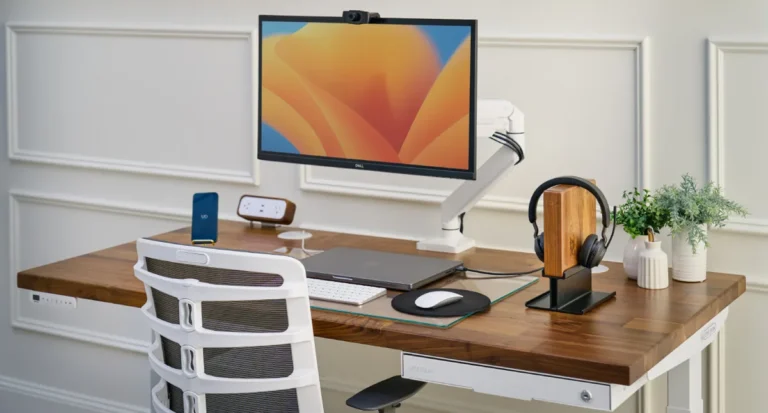
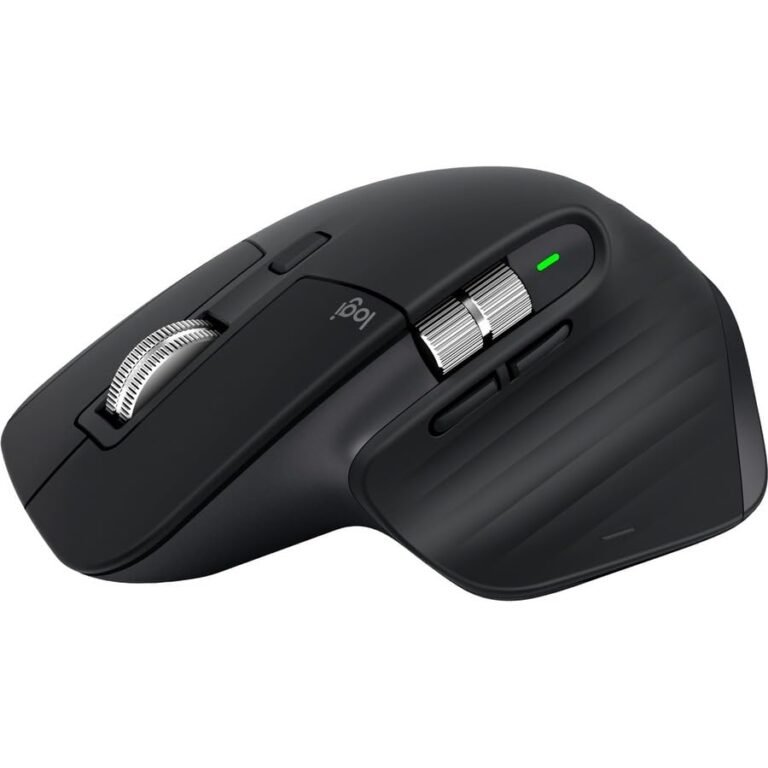
Building out the rest of the desk? The UPLIFT V2 is the centerpiece of our Best WFH Desk Setup Under $1,500, which pairs it with the Herman Miller Sayl chair (refurbished), the Logitech MX Master 3S, and a 4K USB-C monitor for a full $1,483 build.
Final verdict
The UPLIFT V2 is the standing desk I’d point a full-time desk worker toward without much hesitation, and the consensus from a half-dozen long-running independent test labs backs that up. It’s not the cheapest option, it’s not the easiest to assemble, and the configurator will absolutely let you spend more than you should. But the build quality is genuinely premium, the dual motors are quiet, the warranty is best-in-class, and the desktop catalog means you can get a finish that fits your room rather than the other way around. For most home-office buyers, the standard V2 with a 60-by-30 bamboo top and the advanced keypad is the right answer. For tall users and heavy loads, spend the extra on the 4-leg V2-Commercial. For anyone who can’t justify the price, the FlexiSpot E7 is the rational alternative and you won’t be disappointed there either, but if you have the budget, the V2 is the desk that’s most likely to still be your desk in ten years.
Overall rating: 8.8 / 10. Check price on Amazon →
Last updated: May 9, 2026. Pricing, desktop options, and accessory bundles change frequently. Verify current details on upliftdesk.com and the retailer’s site before you buy.