Honest reviews, every week. Subscribe →
Govee

Govee LED Strip Light M1 Review (2026): The Matter Strip That Actually Delivers

8.5 / 10 Editor's rating

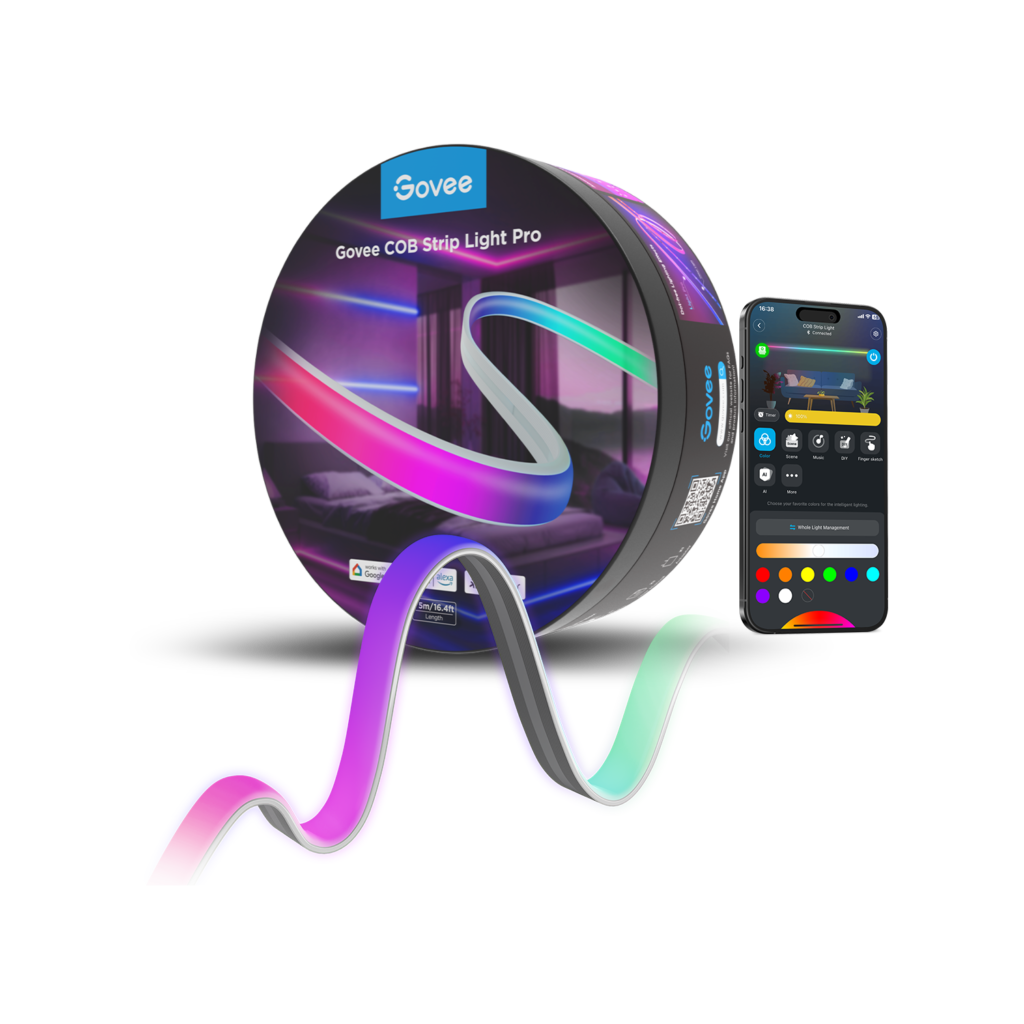
A bright, addressable RGBIC LED strip with Matter built in, meaning it works natively across Apple Home, Google, Alexa, and SmartThings without a hub. Excellent gradients and brightness for the price; just prep your install surface and accept that the best effects still live in the Govee app.

$70 $100
Check price on Amazon

Pros

  • Matter compatibility that actually works across Apple Home, Google, Alexa, and SmartThings
  • 60 LEDs per meter delivers vibrant gradients and standout brightness
  • Two stock lengths (6.56ft, 16.4ft) plus extensions up to 32.8ft
  • Deep scene library and music-reactive modes in the Govee app
  • Strong price-to-performance against Philips Hue at a third of the cost

Cons

  • Adhesive is one-shot and can fail on textured walls, humid rooms, or fresh paint
  • Govee app feels cluttered and account-required setup is heavy for a light
  • Color accuracy isn't reference-grade for serious bias-lighting purists
  • Best effects (gradients, scenes) live only in the Govee app, not in Matter
Best for Renters wanting accent lighting without drilling Smart-home tinkerers consolidating around Matter Behind-the-TV bias lighting on a normal budget Under-bed ambient and dorm or rental accent installs Buyers stepping up from a basic single-color strip
Skip if Color-critical work or calibrated home-theater bias lighting Anyone refusing to install the Govee app for full feature access Walls with heavy texture or freshly painted, uncured surfaces Humid rooms (bathrooms with shower steam) or outdoor installs

Some links on this page are affiliate links. If you buy through them, we may earn a commission at no extra cost to you. We only recommend products we’d be comfortable putting in our own apartment.

The Short Version

The Govee LED Strip Light M1 is the rare smart-home product where the headline feature actually works the way the box promises. It is an addressable RGBIC strip (meaning each segment along its length can light up in a different color at the same time), and it was Govee’s first Matter-certified light strip, which makes it the cleanest path to running a single LED strip across Apple Home, Google Home, Amazon Alexa, and SmartThings without juggling three apps. Brightness is excellent (60 LEDs per meter, roughly double the density of older Govee strips), the gradient effects are genuinely lovely, and most owners report the integrations stick once set up.

The catches are predictable: the adhesive is a one-shot deal that struggles on textured walls and humid rooms, the Govee app is the only place you get the full feature set (Matter exposes basic on/off, brightness, and a single color, not the gradients), and color accuracy is fine for ambient mood lighting but won’t satisfy bias-lighting purists chasing Rec. 709. Buy it if you want vibrant accent lighting that plays nicely with your smart-home platform. Skip it if you need precise color reproduction or refuse to install another app.

What It Is, and What “RGBIC” Means

Govee sells a lot of light strips. The M1 sits at the top of their non-pro consumer line as a Matter-compatible RGBIC+ strip, available in two stock lengths: 6.56 feet (2 meters) and 16.4 feet (5 meters), with extension kits that build a continuous run up to 32.8 feet. One spec to note up front: the M1 cannot be cut to length. You pick the length you need and use it as-is, possibly with extensions.

The shorthand to know: RGB means the whole strip lights up in one color at a time. RGBIC (the IC stands for “independent control”) means the strip is divided into addressable segments, and each segment can be a different color simultaneously. That’s what makes a flowing rainbow gradient or a fire-flicker effect possible on the same physical strip. Govee’s older basic strips (like the H6172) are RGB only, bright, cheap, perfectly capable mood lighting, but the whole strip is always one color. The M1 is RGBIC+, Govee’s name for their higher-density addressable version with 60 LEDs per meter. Closer LED spacing means smoother color transitions and noticeably brighter output than older Govee RGBIC strips.

Power is delivered via a wall adapter and a controller box that sits between the wall and the strip. Network connectivity is 2.4 GHz Wi-Fi only (no 5 GHz), which is standard but worth verifying on a mesh router that aggressively pushes devices to 5 GHz. There’s also a Bluetooth fallback for local control if Wi-Fi drops.

Matter Integration, Honestly

This is the part of the review most buyers care about, so I’ll be specific. Matter is the cross-platform smart-home protocol that, in theory, lets one device work natively in Apple Home, Google Home, Alexa, and SmartThings without separate cloud-to-cloud bridges. The M1 was Govee’s flagship Matter launch product, and the integration broadly does what it claims: pair it once via the Govee Home app, then add it to whichever ecosystems you use, and on/off, brightness, and basic color control are exposed natively to each platform.

Where the honesty comes in: Matter today exposes a smart-light device as a single light. That means Apple Home will let you pick a color, dim the strip, and run automations (but it sees the M1 as one bulb, not 60 individually addressable segments. The gradient effects, the music sync, the scene library, the DreamView TV-sync features) all of those live in the Govee Home app. So the practical reality is: Matter is excellent for the boring everyday stuff (turn on at sunset, dim with a HomeKit scene, ask Alexa to make it red), and you’ll still open the Govee app any time you want a flowing gradient or a preset effect.

That’s not really a Govee problem. The Matter spec hasn’t yet standardized addressable lighting effects, and every other Matter RGBIC strip on the market behaves the same way. If the limit you cared about was “will this work in Apple Home at all,” the answer is yes, reliably, without a hub. If the limit you care about is “will Apple Home let me control individual segments,” the answer is no, and that’s true of every Matter strip you can buy in 2026.

What Owners Consistently Mention

Across Amazon, Reddit, the Govee community forum, and reviews from PCWorld, TechRadar, Reviewed, and The Ambient, a few patterns recur often enough to call them signals rather than one-off opinions.

What buyers love. Brightness is the runaway compliment, owners coming from older Govee strips or from Philips Hue’s lower-output strips repeatedly note that the M1 is dramatically brighter than they expected, to the point that some run it at 60 to 70 percent rather than full power. The color saturation and gradient smoothness draw consistent praise: the LED density (60 per meter) means transitions look like one color flowing into the next rather than an obvious step from one bulb to the next. The Govee app, while not perfect, is well-stocked with preset scenes, and the music-reactive mode is genuinely fun for parties and gaming. The Matter setup is, for most owners, the most painless cross-platform pairing they’ve done.

What buyers flag. The adhesive is the most common complaint, and it splits into two failure modes. On smooth, clean, room-temperature drywall it generally holds for years; on textured walls, in bathrooms or kitchens with humidity, behind a TV that gets warm, or on freshly painted surfaces that haven’t fully cured, the strip starts to peel within weeks. Govee’s own FAQ warns the adhesive can damage paint on removal, so you essentially get one shot at placement. The second-most-common complaint is app polish: the Govee Home app is functional and feature-rich, but it can feel cluttered, occasionally slow to load scenes, and the account-required setup feels heavy for a light. Color accuracy comes up in a smaller but louder subset of reviews, buyers using the strip for video bias lighting (behind a TV to reduce eye strain and improve perceived contrast) note that the whites skew slightly cool and the reds aren’t perfectly Rec. 709-accurate. For mood lighting that’s a non-issue; for a calibrated home-theater setup, it matters.

One smaller pattern: a handful of owners receive units with manufacturing defects (a dead segment, a controller that won’t pair). Govee’s warranty replacement is generally responsive, but it’s a hassle to know about.

Check price on Amazon →

How It Compares: M1 vs Govee H6172 vs Philips Hue

Three strips dominate the consumer addressable-lighting conversation, and they sit at three very different price points.

vs. Govee H6172 (~$25 to $40 for 16.4ft): The H6172 is Govee’s basic Wi-Fi RGB strip, same broad ecosystem (Govee app, Alexa, Google) but no Matter, no addressable segments, no RGBIC. The whole strip lights one color at a time. It’s roughly half the price of the M1 and perfectly fine for buyers who just want a long, dimmable, color-changing accent light behind a couch or under a counter. If you don’t care about gradients and don’t need Apple Home compatibility, the H6172 is the smarter spend. If you do. Get the M1.

vs. Philips Hue Lightstrip Plus (~$80 base + ~$30 per meter extension, plus $60 Hue Bridge): The premium pick. Color accuracy is noticeably better (closer to true Rec. 709), the build is more robust, the app is cleaner, and Hue’s Zigbee mesh is more reliable when you scale to many devices. It’s also addressable. The catch is total cost: a Hue strip plus the required Bridge plus extensions to match the M1’s 16.4ft length lands well over $200, sometimes near $300. The M1 delivers 80 to 90 percent of the experience for a third of the price. If you’re already in the Hue ecosystem with a Bridge, Hue stays the clean choice. Starting fresh and not running a calibrated home theater? The M1 is the rational pick.

vs. Nanoleaf Essentials Lightstrip (~$50 to $90): Nanoleaf’s Matter-over-Thread strip is the closest direct competitor on price and cross-platform philosophy. Brightness is comparable and the Nanoleaf app is widely considered cleaner than Govee’s. Where Nanoleaf trails: fewer scene effects, no music sync to match Govee’s depth, and a Thread radio that needs a Thread border router (recent Apple TVs and HomePod Minis qualify). Apple-Home-first household that values app polish over scene library? Nanoleaf is cleaner. Want maximum effects and don’t mind the Govee app? The M1 wins on features.

Best Use Cases

The M1 shines in a handful of common applications and is overkill (or under-spec) for a few others.

Behind-the-TV bias lighting. The most common install. Mount the strip on the back rim of a wall-mounted or stand-mounted TV, set it to a soft warm white or a dim color matching the on-screen scene (or use Govee’s DreamView camera-based sync), and you get reduced eye strain in dark rooms plus a noticeable bump in perceived contrast. The M1’s brightness is more than sufficient. Color accuracy isn’t reference-grade, but for general viewing it’s well within tolerance.

Under-bed ambient. A 6.56ft run tucked under a platform bedframe gives a soft floor glow that doubles as a nightlight. Pair with a Matter automation that fades it on at sunset and off at bedtime, and it becomes invisible infrastructure, exactly the right energy for a sleep-friendly bedroom.

Kitchen toe-kick or under-cabinet accent. The 16.4ft version wraps a small kitchen’s lower cabinets cleanly. Skip this in humid kitchens with frequent steam or splashing. Moisture is the M1’s adhesive enemy. For a dry-zone accent in a dining area or pantry, it’s a clean fit.

Dorm and renter accent lighting. The peel-and-stick install with no drilling makes the M1 a natural choice for renters and dorm residents adding personality to a space they can’t modify. Just use the surface-prep step seriously (clean, dry, smooth wall), and accept that removal will likely take some paint with it.

Behind a desk or gaming setup. Music-reactive mode and scene effects make the M1 a fit for streamers and gamers wanting the LED-glow aesthetic without a full RGB ecosystem.

Where it doesn’t fit: outdoor installs (the M1 is indoor-rated), bathrooms with shower steam, color-critical work, or any install where you can’t reach a wall outlet within strip length.

Who It’s For, Who Should Skip

Get the M1 if you’re a renter wanting accent lighting without drilling, a smart-home tinkerer who wants a single strip that shows up natively in Apple Home and Alexa and Google, or a TV-room owner who wants bias lighting that’s bright enough to actually do its job. It’s also the right pick if you’ve outgrown a basic single-color strip and want to step up to gradient effects without paying Hue prices.

Skip the M1 if you do color-critical work and need calibrated lighting, you refuse to install another app (Matter handles basics but the M1’s best features live in the Govee app), or your install surface is heavily textured, freshly painted, or in a humid bathroom. Also skip it if you need a strip you can cut to exact length. The M1 doesn’t support that, and a basic non-RGBIC strip will serve you better.

Where to Buy and Price Context

The M1 lives on Amazon and on Govee’s own site (me.govee.com), with occasional appearances at Best Buy and Target. Recent street pricing typically lands at $50 to $60 for the 6.56ft version (MSRP $59.99) and $70 to $90 for the 16.4ft version (MSRP $99.99). I’ve seen the 16.4ft at $69.99 multiple times in the last year.

Amazon is usually the cheapest and fastest, and Prime returns make it the safer pick if the adhesive doesn’t take or the unit arrives defective. Govee’s own site occasionally undercuts Amazon during seasonal sales and bundles extension kits at a discount. Govee’s one-year warranty applies either way. For a single strip, default to Amazon. If you’re building a long run with extensions, check Govee’s site for bundle pricing first.

Living in a small bedroom or rental? The Govee strip is featured as our pick for smart ambient lighting in The Best Sleep Tech for Renters and Tiny Bedrooms (2026), alongside three other apartment-friendly picks and a $50 white-noise machine for thin walls.

Setting up a small bedroom? The smart ambient strip is one of the picks in How to Arrange a Small Bedroom for Better Sleep, our new layout guide for renters working with under 120 sq ft.

Final Verdict

The Govee M1 is the strip I’d recommend to most people who want bright, addressable, smart-home-friendly accent lighting and don’t need Hue-level color accuracy. The brightness and gradient quality genuinely impress, the Matter integration plugs into Apple Home, Google, Alexa, and SmartThings with less friction than any non-Matter strip, and the price keeps it well below the premium tier. The adhesive caveats and the app polish are real, but neither is a dealbreaker if you prep your install surface seriously.

For a renter adding a thoughtful room without making holes, a smart-home owner consolidating around Matter, or a TV-watcher adding bias lighting on a normal budget, the M1 is the pragmatic pick. For color-critical buyers, Hue wins. For everyone else, the M1 is the sensible default.

Overall rating: 8.5 / 10. Check price on Amazon →

Last researched: May 2026. Pricing and SKU availability shift; verify length, included extension hardware, and Matter compatibility on the retailer’s listing before you order.