Some links on this page are affiliate links. If you buy through them we may earn a commission at no extra cost to you. This guide is built from 2 years of r/workfromhome and r/ergonomics threads on actual home offices people have built, the Wirecutter 2024 best home office setup feature, the BIFMA 2024 ergonomic standards for residential workstations, and lived experience setting up four home offices in five years.
Most home office guides assume you have a dedicated room with 10 by 12 feet of usable space, a window for natural light, and budget enough to copy a Workspaces.xyz featured setup. None of those assumptions hold for the typical apartment dweller who has a 100 square foot spare bedroom, a half-converted closet, or a corner of a studio that has to be the office between 9 and 5 and the living room everywhere else.
This guide is the actually-honest version: how to build an ergonomic home office in 100 square feet or less, why the standard ergonomic recommendations need adapting for that footprint, what to buy in what order, and what to skip entirely. It assumes a $1,500 total budget and 100 square feet of usable space (about 10 by 10 feet, give or take, or a converted closet).
The four ergonomic non-negotiables (everything else flexes)
Before talking about products, the four ergonomic principles that matter most are non-negotiable. Every product choice serves one of these. Anything that does not serve one of them is decoration.
1. Eye height alignment with the top of the screen
The top of your monitor (or laptop screen) should be roughly at eye level when you are sitting upright. Below this line, you crane your neck forward to read; above this line, you tilt your head back. Both cause neck pain within weeks of daily use. This is the single most-violated ergonomic principle in residential desks.
2. Elbows at 90 degrees when typing
Your forearms should be roughly parallel to the floor when your hands are on the keyboard. Higher than this, your shoulders shrug up and the trapezius muscle stays contracted all day. Lower than this, your wrists bend awkwardly to reach the keys. Most residential desks at 30 inches plus a non-adjustable chair force one of these failure modes.
3. Feet flat on the floor or on a footrest
Your knees should bend at roughly 90 degrees and your feet should rest flat. Tall users on standard 30-inch desks usually pass this test. Shorter users (under 5 ft 6) often fail because the chair is set high enough for keyboard ergonomics and the floor is too far below; the fix is a footrest, not a higher chair.
4. A lumbar curve that supports the spine’s natural S-shape
The lower back has a natural inward curve. Office chairs need to support that curve, not flatten it. The cheapest chairs have flat backs that turn the spine into a C-shape over the workday. The under-$300 ergonomic chairs (Sihoo M57, Branch Daily) have adjustable or pre-shaped lumbar that holds the S-shape.
The 100 sq ft layout
In 100 square feet (roughly 10 by 10 feet), the right layout puts the desk along the longest wall with the chair facing into the room. This gives you 6 to 7 feet behind the desk for the chair to roll back, a clear path to the door, and room for one filing cabinet or bookshelf along one of the side walls. The other side wall stays open for visual breathing room.
What does NOT work in 100 square feet:
A desk facing a wall with no view: Visually claustrophobic, makes the small room feel smaller. If the room has a window, the desk should face it or sit perpendicular to it. If there is no window, the desk should face into the room so your peripheral vision has depth.
An L-shaped desk: Tempting but eats half the room. Only viable if the L hugs two walls and the chair sits in the inside corner; even then, the visual weight makes the room feel cramped. A standard 5 to 6 foot single desk works better.
A treadmill desk: Treadmill desks are 6 to 8 feet long once you include the treadmill base. They consume the room. Skip in this footprint.
The $1,500 build (in priority order)
Step 1: The desk (~$700 to $900)
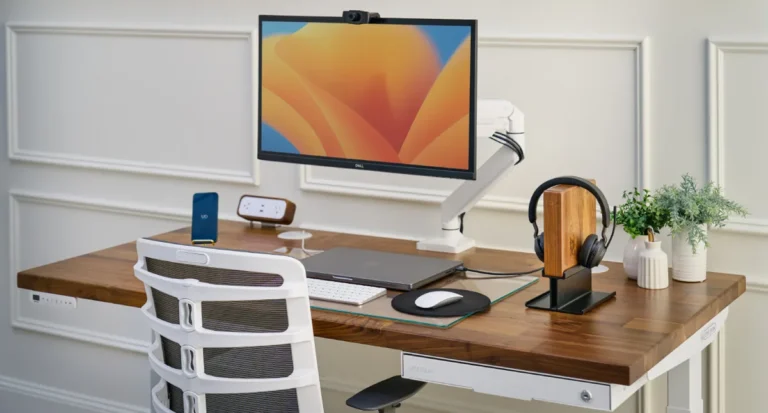
An adjustable-height standing desk is the right call for a 100 sq ft home office because it lets you alternate sitting and standing without taking more floor space. The UPLIFT V3 (formerly V2, now updated) at the 60 by 30 inch bamboo top with the advanced keypad runs $700 to $900 configured. The Jarvis from Fully is the closest competitor at $650.
Skip the configurator’s accessory upsells (wire tray, monitor arm, CPU holder); buy those on Amazon for 20 to 40 percent less. Add only the advanced keypad ($35) which gives you four programmable height memory slots; the basic keypad has no memory and gets old fast.
Step 2: The monitor (~$300)
One 27-inch 4K monitor on a monitor arm is the right call. The Dell U2723QE ($300 to $400 on sale) is the standard for residential ergonomic setups; the LG 27UL500-W ($280) is the cheaper alternative. A monitor arm ($40 to $80, like the Huanuo dual-arm or VIVO single-arm) puts the screen at correct eye height regardless of the desk height.
Two monitors at 27 inches each take more space than 100 sq ft comfortably supports unless you remove the side bookshelf. One 32-inch 4K monitor is the alternative if you want more screen space without the second-monitor footprint; the LG 32UN650-W ($400) is the budget pick at this size.
Step 3: The chair (~$200 to $300)
The Sihoo M57 ($200) is the best-value pick for users under 6 ft 2; the Branch Daily ($269) is the premium-under-$300 pick. For users over 6 ft 2 or who sit 8+ hours daily, the chair budget should stretch to a refurbished Aeron or Embody ($400 to $700 from Crandall Office or Madison Seating). The chair is the most-used piece in the room; do not under-invest.
Step 4: Keyboard and mouse (~$150)
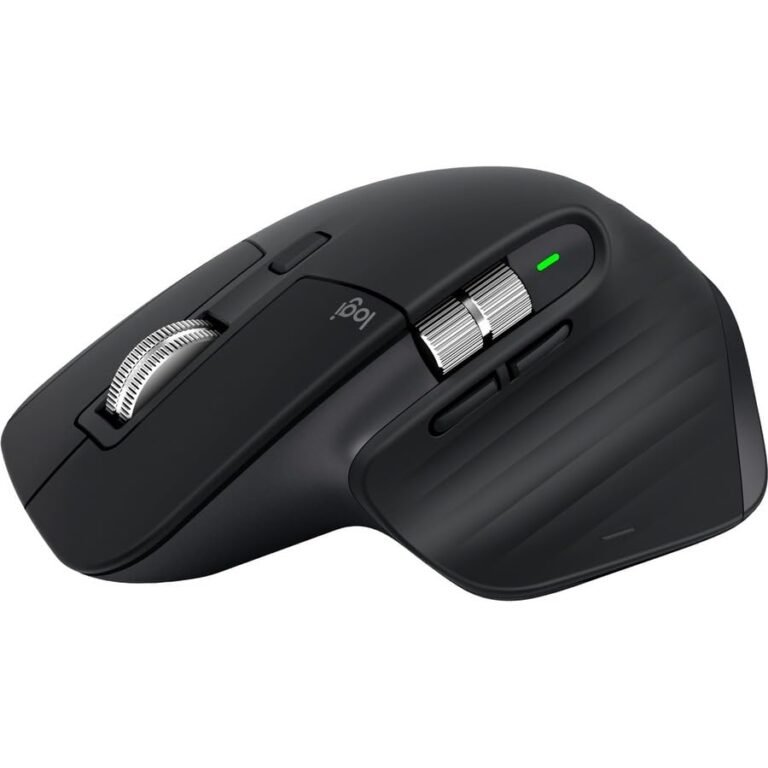
The Logitech MX Keys S ($110) plus the Logitech MX Master 3S ($99) is the standard residential WFH setup. Both are wireless, both pair with the same Logitech receiver, both last weeks per charge. Cheaper alternatives exist (Keychron K8 at $90, Logitech M510 at $30) but the MX combo is what most reviewers default to because the per-application button remapping on Options+ pays back over years of daily use.
Step 5: Lighting (~$100 to $200)
Overhead apartment lighting is almost always wrong for desk work (too dim, too cold-blue, casts shadow on the keyboard). Add a desk-front task light: the BenQ ScreenBar Halo ($130) clips to the top of the monitor and lights the desk surface without glare on the screen, OR a freestanding desk lamp like the BenQ e-Reading lamp ($150). Avoid ceiling-only setups for any room you work in 4+ hours daily.
Step 6: Acoustic treatment (~$50 to $100)
Small rooms with hard surfaces sound terrible on video calls because of echo. The fix is one or two acoustic panels on the walls (4 to 6 inch thick foam panels, $50 for a 6-pack on Amazon) OR a soft surface like a rug, a fabric chair, and curtains. If you have hardwood floors and no rug, the echo issue is dramatic; a $50 rug fixes it more effectively than $100 of foam panels.
What to skip in a small home office
A printer
The home printer is the most-regretted purchase in WFH setups. Printers take 18 inches of permanent desk or shelf space, jam at the worst possible moments, and most documents that get printed could be PDFs. Use Office Depot or your local print shop for the 3 to 5 times per year you actually need a printed document. The space and recurring ink cost savings pay for themselves.
A second monitor on a desk under 60 inches
Two monitors require 50+ inches of usable desk width, which a 60 inch desk barely supports once you include the chair clearance. If you want more screen space, get one 32 inch 4K or a 34-inch ultrawide instead of two 27 inch monitors. The single-screen ultrawide setup uses about 36 inches of desk width versus 56 inches for dual monitors.
A high-end webcam
Most modern laptops have webcams good enough for daily video calls. The exceptions: if you are on camera 4+ hours a day for professional reasons (sales, consulting), the Logitech Brio or the Insta360 Link is a legitimate upgrade. For everyone else, the built-in laptop camera plus good lighting (see step 5) produces better results than a $200 webcam with bad lighting.
A treadmill desk or under-desk treadmill
Beyond the space issue covered above, under-desk treadmills also fail the focus test for most knowledge workers; you cannot type complex code or write long-form text at 2 mph because the foot-eye coordination conflicts with cognitive load. Walking meetings work fine on a phone; deep focus work usually does not work on a treadmill.
The order of operations for a $1,500 build
Most readers will not buy everything at once. The right order is:
- Chair first ($200 to $300). The most-used piece in the room. Sit on a bad chair for two weeks and you will hate the room before you finish furnishing it.
- Monitor second ($300 to $400). Fixes the single biggest ergonomic violation (eye height) and the second biggest (limited screen real estate).
- Desk third ($700 to $900). The biggest spend, the longest commitment. Get the chair and monitor working first; the standing desk earns its money only if you actually stand sometimes.
- Keyboard + mouse fourth ($150). Daily-use peripherals. Worth the Logitech MX upgrade; the standard apartment laptop keyboard is fine until you have the desk and monitor making your typing posture matter.
- Lighting fifth ($100 to $200). Earn it. Use overhead light + a $20 desk lamp for the first month while you figure out the lighting gaps; upgrade to BenQ ScreenBar or e-Reading only after you confirm overhead is not enough.
- Acoustic treatment last ($50 to $100). Only if you take video calls and the echo bothers you or your colleagues. Many small rooms with rugs and soft furniture do not need any additional treatment.
Frequently asked questions
I do not have 100 sq ft. I have a closet. What works? A converted closet (typically 24 to 36 inches deep, 4 to 6 feet wide) works for desk work IF the desk is the right size. A 48 inch wide narrow desk (the IKEA Linnmon at 47×24 inches is the standard) fits in a 60-inch closet. The chair lives outside the closet when not in use. This setup is called a “cloffice” in interior design circles; it works well for solo focus work but badly for video calls where the visual background is your hanging clothes.
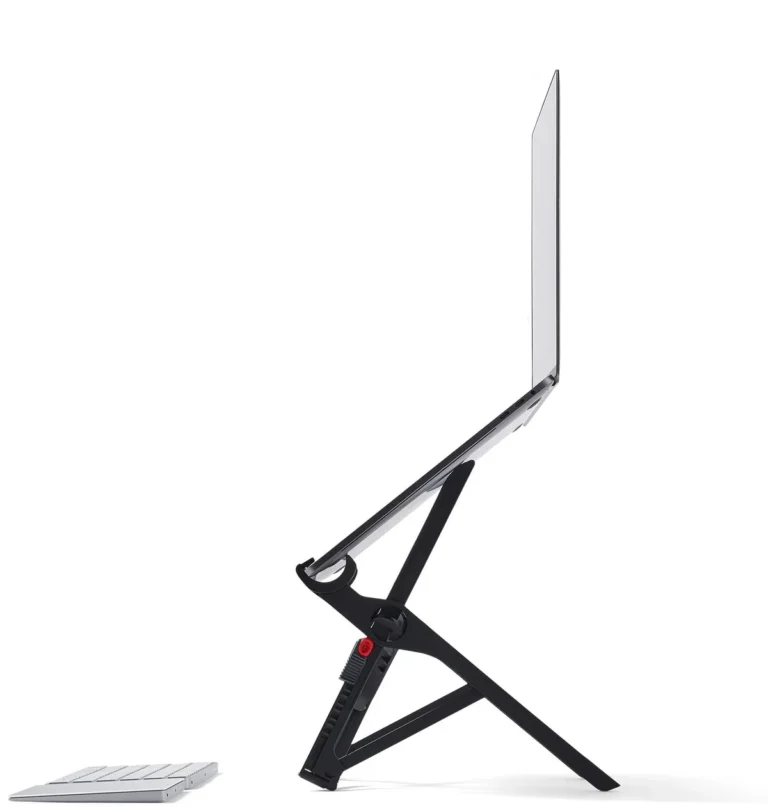
My desk is the kitchen table. Is ergonomics even possible? Partially. A laptop stand (Roost V3 at $90 or Soundance at $30) plus an external keyboard and mouse fixes the eye-height and elbow-angle problems. A footrest fixes the seated posture if the chair is too high. The remaining gap is chair quality; a dining chair is bad for 8 hours of daily use. The honest answer for kitchen-table workers is to set up at a real desk somewhere, even a corner of the bedroom, for at least the focus work.
Standing desk or sitting desk? An adjustable-height standing desk lets you do both. Pure standing desks are uncomfortable for most workers past 2 hours; pure sitting desks fail the standing-occasionally test. The adjustable desk is the right call for any setup over $400 in the desk category.
What about the noise from outside or a roommate? Acoustic treatment helps modestly. The honest fix is a pair of over-ear noise-canceling headphones (Sony WH-1000XM5 or Bose QuietComfort 45) for the worst moments. If neither helps and the noise is a daily-multiple-times issue, the apartment is the problem, not the office setup.
Plants? Personal items? Does it matter? Research suggests modest positive effects on focus from a small amount of greenery and personal items in a workspace. The wrong amount is a desk covered in tchotchkes; the right amount is one or two plants and one or two personal objects (photo, art print). Plants that survive low light: pothos, snake plant, ZZ plant. Skip orchids unless your room has direct sun.
Where to start
For most readers, start with the chair purchase: see our 5 best office chairs under $300 for the buy decision. The best WFH desk setup under $1,500 guide covers the full kit at a higher level. The Roost V3 laptop stand and the UPLIFT V3 standing desk are the two desk pieces we have reviewed in depth.
Frequently asked questions
I don't have 100 sq ft. I have a closet. What works?
A converted closet (24 to 36 inches deep, 4 to 6 feet wide) works for desk work with the right size desk. A 48-inch narrow desk (IKEA Linnmon 47x24) fits in a 60-inch closet. Chair lives outside when not in use. Called a 'cloffice' in interior design; works well for solo focus, poorly for video calls (visual background is hanging clothes).
My desk is the kitchen table. Is ergonomics even possible?
Partially. Laptop stand (Roost V3 $90 or Soundance $30) plus external keyboard and mouse fixes the eye-height and elbow-angle problems. Footrest if the chair is too high. The remaining gap is chair quality; a dining chair is bad for 8 hours of daily use. The honest answer for kitchen-table workers: set up at a real desk somewhere for at least the focus work.
Standing desk or sitting desk?
An adjustable-height standing desk lets you do both. Pure standing desks are uncomfortable past 2 hours; pure sitting desks fail the standing-occasionally test. Adjustable is the right call for any desk over $400.
What about noise from outside or a roommate?
Acoustic treatment helps modestly. The real fix is over-ear noise-canceling headphones (Sony WH-1000XM5 or Bose QuietComfort 45) for the worst moments. If neither helps and noise is daily-multiple-times, the apartment is the problem, not the office setup.
Plants? Personal items?
Modest positive effects on focus from a small amount of greenery and personal items. Wrong amount: desk covered in tchotchkes. Right amount: one or two plants and one or two personal objects (photo, art print). Low-light plants: pothos, snake plant, ZZ plant. Skip orchids without direct sun.
Two monitors or one big monitor?
Two 27-inch monitors need 50+ inches of usable desk width. A 60-inch desk barely supports that once you include chair clearance. For more screen real estate, get one 32-inch 4K or a 34-inch ultrawide instead. Single-screen ultrawide uses ~36 inches of desk width versus 56 inches for dual.
I'm under 5 ft 6. The desk feels too high.
An adjustable standing desk lowers further than fixed-height desks (UPLIFT V3 starts at 22.6 inches versus 28 to 30 for fixed). If the desk is fixed, add a footrest (~$25 Amazon Basics) so your knees stay at 90 degrees. The chair should be set high enough for the keyboard, not for the floor.