Some links on this page are affiliate links. If you buy through them, we may earn a commission at no extra cost to you. We only recommend gear we’d be comfortable putting on our own desks, and we update this list as prices and product lines change.
TL;DR, the short version
You can build a good work-from-home desk setup for $1,500 in 2026 without compromising the parts that matter for your wrists, eyes, and back. The three essentials, in order of impact: a sit-to-stand desk, a real ergonomic chair, and a productivity-grade mouse and keyboard pair. The two nice-to-haves that punch above their weight: a 27-inch USB-C monitor that doubles as a laptop dock, and a thin LED bar that lights the desk without glaring into the screen.
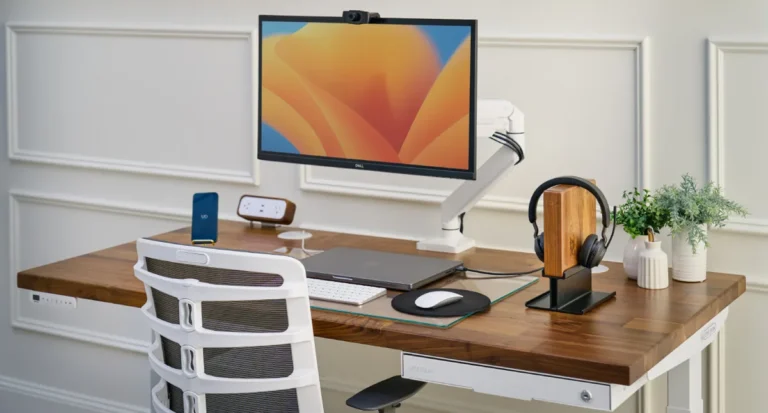
Here’s the build we’d put on a friend’s desk if they handed us $1,500 and a tape measure:
- UPLIFT V2 standing desk, $799
- Herman Miller Sayl chair, ~$400 (refurb / open-box)
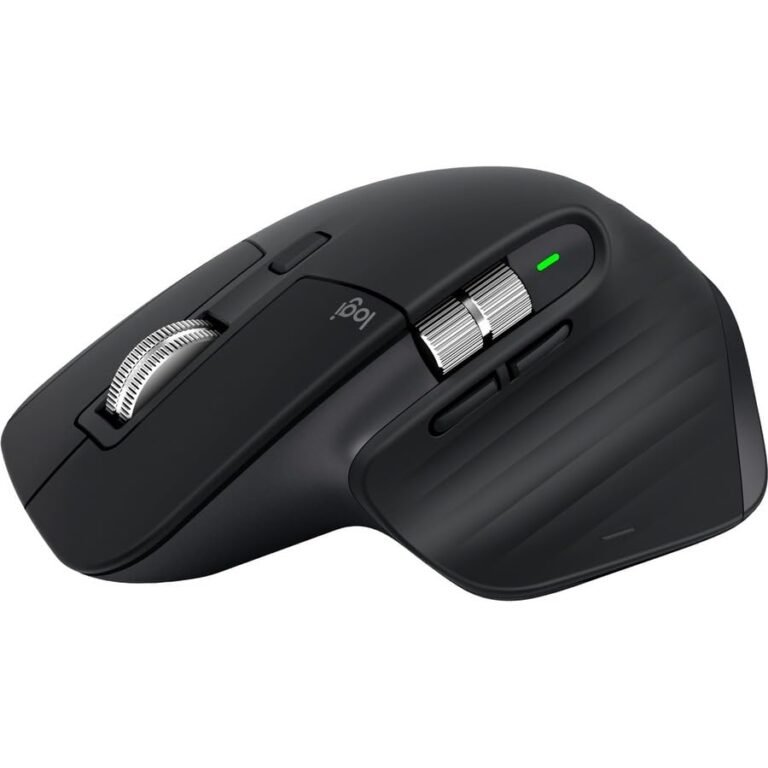
- Logitech MX Master 3S mouse, $85
- Logitech MX Keys S keyboard, $109
- Anker 567 USB-C hub, $90
- BenQ ScreenBar Halo, $189
- Total, $1,672 with the chair at full street price; comfortably under $1,500 if you buy the Sayl refurbished and skip the monitor for now, or under $1,500 if you swap the BenQ for a $40 generic LED bar
The Dell U2723QE 4K monitor (~$550) is the one piece that breaks the budget cleanly. We cover what to do about that below.
How we built this list
We did not test every desk and chair on the market. Nobody who claims that is being honest. What we did is read several years of long-term owner reports across r/HomeOffice, r/StandingDesks, and r/HermanMiller; cross-reference those against independent reviewers (Wirecutter, Rtings); and weight all of it against published ergonomics research on neutral-posture desk work. Where a product gets praised in week-one unboxings but criticized at the two-year mark, we sided with the two-year reports.
Our bias is toward gear that disappears into the background of a workday. We’ve tried to pick items where the consensus is unusually clean, the one owners still recommend three years after buying. We deliberately excluded any product whose reputation rests on a single influencer review, and anything that requires a subscription to keep working.
The $1,500 budget breakdown
Honest math at typical mid-2026 street pricing, with notes on where you can save:
- UPLIFT V2 standing desk (48″ bamboo top, V2 frame), $799. The non-negotiable spine of the setup.
- Herman Miller Sayl chair, $400 refurbished from Herman Miller’s certified-refurbished store, $550 open-box, $750 new. Buy refurbished. The warranty still applies.
- Logitech MX Master 3S mouse, $85 on Amazon, $99 MSRP.
- Logitech MX Keys S keyboard. $109. Pairs to the same Logi Options+ profile as the mouse.
- Anker 567 USB-C hub, $90. One cable to your laptop, everything else fans out from the hub.
- Dell U2723QE 27″ 4K USB-C monitor, $550 typical, $450 on sale. The single biggest line item, and the one most people should defer until the rest of the setup is in place.
- BenQ ScreenBar Halo, $189. The luxury pick. A $40 generic LED bar gets you 70 percent of the benefit.
Subtotals. Desk + refurb chair + mouse + keyboard + hub = $1,483, leaving $17 of headroom. Add the ScreenBar Halo and you’re at $1,672. Swap to a generic monitor light and you’re back at $1,523. Add the Dell monitor and you’re at $2,033. Meaningfully over, which is why we treat it as the “earn it later” piece. The honest summary: $1,500 buys a real, durable setup if you buy the chair refurbished and defer the monitor.
1. UPLIFT V2 Standing Desk, Best Standing Desk
Price: from $799 (48″ laminate top) | Tier: essential | Our rating: 8.8/10
The UPLIFT V2 has been the consensus pick for an under-$1,000 sit-to-stand desk for five years, and the consensus has held up. It uses a Jiecang dual-motor frame rated for 355 pounds, with a height range of 25.3″ to 50.9″ that fits users from roughly 5’0″ to 6’7″. The motion is smooth, noise is reasonable, and the 7-year warranty covers frame, motors, electronics, and mechanisms, meaningfully better than competitors at the price. Pick the V2 (fine for most desks under 60 inches) or the V2-Commercial (rated to 535 lbs, recommended for 72″+ tops). The basic laminate top at $799 is structurally identical to the bamboo and saves $100 to $200.
What owners praise: the warranty actually getting honored, the height range that fits unusually tall and short users, and long-term stability, three-year owners report smooth motion without recalibration. What they flag: wobble at full standing height with a heavy load, especially on 72-inch tops with the standard frame; the keypad UI is dated; assembly takes most of a Saturday and is much easier with two people.
Buy it if you want the standing-desk choice you’ll regret least. Skip it if you need a desk in 48 hours (shipping runs one to three weeks) or your budget caps at $400 (the IKEA Bekant is the honest entry-level alternative).
Read our full UPLIFT V2 review →
2. Herman Miller Sayl, Best Ergonomic Chair Under $700
Price: $400 refurbished, $550 open-box, $750 new | Tier: essential | Warranty: 12 years
The Sayl is the entry point into Herman Miller’s task chair line, and it earns the recommendation for one specific reason: it’s the cheapest way to get the twelve-year warranty, the engineering pedigree behind the Aeron, and the suspended-back design most chairs in the $200 to $400 range fail to replicate. The webbed Y-Tower back flexes with the user instead of pressing into the spine. The moment a task chair stops feeling like furniture and starts feeling like equipment.
It’s not the Aeron. The Sayl skips the Aeron’s adjustable lumbar (add it as a $50 option), uses a fixed-height arm by default, and is built to a tighter price target. What it gives you instead is the same chassis quality, the same warranty, and a footprint that fits a small apartment in a way the wider Aeron does not. For $400 refurbished, it is the most honest chair recommendation we can make at this budget. If buying refurbished feels like a gamble, our office chairs from $350 to $500 list covers what the same money buys new.
What owners praise: back support over a long workday, build quality that holds up across multiple owners, and the 27-lb weight, easy to move around a small apartment. What they flag: the seat pan is firmer than the Aeron’s mesh, which a minority of long-session sitters find uncomfortable past four hours; the basic fixed arms feel cheap next to the height-adjustable upgrade.
Buy refurbished from Herman Miller’s certified store, inspected, full warranty, real savings. Browse Sayl listings on Amazon →
3. Logitech MX Master 3S, Best Productivity Mouse
Price: $85 typical | Tier: essential | Our rating: 8.8/10
If you’re at a desk for six or more hours a day, the mouse is what your hand touches longest. The MX Master 3S is the consensus pick because the consensus is right: the MagSpeed scroll wheel auto-shifts between a tactile ratchet and a free-spin glide, the sculpted shell fills a medium-to-large right hand instead of forcing a pinch grip, the quiet-click switches don’t broadcast every email reply, and the 70-day USB-C battery means it disappears into the background of the workday.
The honest caveats: right-handed only (lefties should look at the Logitech Lift Left), and unlocking app-specific buttons, gestures, and cross-computer Flow requires installing Logi Options+. Software that has had visible reliability bugs, including a January 2026 macOS certificate incident. Most owners install it once and forget it.
Pairs especially well with the MX Keys S keyboard below, same Logi Options+ profile, same Bolt receiver, one button switches both peripherals between laptop and desktop. Skip it if you’re left-handed, can’t install vendor software, or game (this is not a gaming mouse).
Read our full MX Master 3S review →
4. Logitech MX Keys S, Best Productivity Keyboard
Price: $109 typical | Tier: essential
The MX Keys S is the keyboard half of the MX Master ecosystem, and that’s most of why we recommend it. The low-profile Perfect Stroke keys are quieter than a mechanical keyboard and softer than a Magic Keyboard; the backlight is proximity-activated and dims when your hands leave the keys; the keyboard pairs to three devices over Bluetooth or the Bolt receiver. Battery life is roughly ten days with backlight on, up to five months with it off, charged over USB-C.
It is not a mechanical keyboard. If you’re coming from a Keychron, the MX Keys S will feel mushy, short travel, soft actuation, laptop-like sound. What it offers instead is quiet, all-day comfort, a layout that works equally well on Mac and Windows, and the same multi-device flow as the mouse. For a one-bedroom apartment where the partner is on a call in the next room, that quietness is the feature.
What owners praise: typing comfort across a long day, the smart backlight, and seamless flow with the MX Master mouse. What they flag: the same Logi Options+ dependency, the missing number pad in the standard layout (the MX Keys S Plus adds one for $20 more), and the non-mechanical keys.
Check the MX Keys S on Amazon →
5. Dell U2723QE, Best 27″ 4K USB-C Monitor
Price: $450–$550 | Tier: nice-to-have (or phase-two upgrade)
If your budget can stretch, this is the monitor most knowledge workers should buy and stop researching. The U2723QE is a 27-inch 4K IPS Black panel with 90W USB-C laptop charging, a built-in KVM-style USB hub, and Dell’s three-year zero-bright-pixel warranty. One cable to your laptop gets you display, charging, hub-connected peripherals, and ethernet. The IPS Black tech roughly doubles the contrast of standard IPS panels, not OLED-deep, but a visible improvement on dark UI work.
It is genuinely overkill for spreadsheets and email. If you live in Google Docs and Slack, a $250 1440p monitor will serve you fine. The U2723QE earns its price for people who edit photos or video, write code with multiple panes open, or want their laptop dock and external display to be the same device.
Defer if your budget is tight. Use your laptop on a stand for now and revisit the monitor in three to six months. The rest of the setup matters more for your wrists and back. Browse the U2723QE on Amazon →
6. BenQ ScreenBar Halo, Best Monitor Light
Price: $189 | Tier: nice-to-have
A monitor light sits on top of your display and lights the desk in front of you without bouncing glare into the screen. The ScreenBar Halo is the premium pick: it adds a rear-facing bias light, comes with a wireless puck for brightness and color temperature, and uses an asymmetric lens that keeps light off the screen entirely. Color temperature spans 2700K to 6500K with auto-dimming based on ambient light.
The honest argument against: $30 to $50 clones on Amazon get you 70 percent of the experience, no bias light, no wireless puck, similar light quality on the desk. The Halo is worth the premium for full-time WFH workers who care about evening eye strain; the basic ScreenBar is the smarter buy if you’re cost-sensitive.
Pairs with any flat-top monitor between roughly 1 and 3 cm thick. Curved monitors over 1500R need the ScreenBar Pro. Check the ScreenBar Halo on Amazon →
7. Anker 567 USB-C Hub, Best Docking Station Under $100
Price: $90 | Tier: essential if you use a laptop, skip if you have a desktop
The Anker 567 is the “one cable to rule them all” piece, a 10-port USB-C hub that turns one laptop port into HDMI, DisplayPort, ethernet, three USB-A, two USB-C (one with 100W passthrough), an SD/microSD reader, and a 3.5mm audio jack. For most laptops it replaces a $250+ Thunderbolt dock at a third the price and handles 80 percent of the same workload.
The trade-off: the 567 is USB-C, not Thunderbolt. Single 4K at 60Hz is fine; dual 4K at 60Hz is not (you’ll get one at 60Hz and one at 30Hz). For true dual-4K, step up to the CalDigit TS4 or the Anker 778 Thunderbolt 4. For single-monitor laptop users, the 567 is the right answer.
Skip it if you have a desktop tower with the ports already, or if you need genuine dual-4K-at-60Hz support. Check the Anker 567 on Amazon →
What we’d cut if your budget is tighter
Not everyone has $1,500 to put into a desk this quarter. Here’s the order in which we’d add pieces, by budget tier. The goal is always “get the ergonomic foundation first, polish later.”
$500, the ergonomics-only build. Used Sayl off the secondhand market ($250–$300), MX Master 3S ($85), MX Keys S ($109). Total: ~$494. You’re sitting in a real chair and using real peripherals on whatever desk and laptop you already have. This protects your wrists and back; everything else can wait.
$1,000, the “real desk” build. Add the UPLIFT V2 ($799) but downgrade to a sub-$200 mesh chair from SIHOO or Branch. Total: ~$1,090. The standing desk is the leap that changes how an eight-hour day feels. Once it’s in place, our standing desk accessories guide covers the five add-ons worth pairing with it, about $242 for all five.
$1,500, the recommended build. UPLIFT V2 ($799), Sayl refurbished ($400), MX Master 3S ($85), MX Keys S ($109), Anker 567 hub ($90), generic monitor light ($40). Total: $1,523. The 4K monitor and the BenQ ScreenBar Halo are the upgrades you earn into over the next six months.
The pattern: don’t cut the desk, don’t cut the chair. Those touch your spine for forty hours a week. Cut the monitor and lighting before the foundation.
What about a small apartment WFH corner?
Half our audience works from a one-bedroom, a studio, or a corner of a shared living room, not a dedicated office. The setup scales down. Choose the 42-inch UPLIFT V2 top instead of the 60-inch (still fits a laptop, monitor, and keyboard; takes about as much wall as a small dresser). The Sayl is well-suited here because it weighs 27 pounds and rolls easily. An Aeron is much harder to relocate. Skip dual monitors and run a single 27-inch display or use your laptop on a stand.
For renters: every item on this list is freestanding, requires no wall mounting, and packs into a moving truck without leaving holes. The desk disassembles in about thirty minutes. The chair fits through a 30-inch doorway. The monitor light clamps to any flat-top display without adhesive. Nothing commits you beyond the lease.
Final verdict
$1,500 in 2026 buys a real WFH desk setup that will last five to seven years. If you spend in the right order. UPLIFT V2 desk, Sayl chair refurbished, MX Master 3S, MX Keys S, Anker 567 hub, monitor light. Defer the 4K monitor until your laptop screen actually feels limiting, and skip the BenQ Halo for a generic LED bar if budget is tight. The chair and the desk are the parts your body will thank you for.
For more on building a workspace that scales with you, see the full Workspace pillar.
Pricing and availability shift; verify current price on the retailer’s listing before you order.
What to consider
Get the ergonomic foundation first (desk and chair) before chasing the 4K monitor. At $500, prioritize a used Sayl plus MX Master/Keys on the laptop you already have. At $1,000, add the UPLIFT V2 and downgrade the chair temporarily. Renters: every item is freestanding, no wall mounting, and packs into a moving truck. Small apartment? The 42-inch UPLIFT top, single 27-inch monitor, and the Sayl's 27 lb weight scale the setup down without losing what matters.
Frequently asked questions
What's the single highest-leverage WFH purchase under $100?
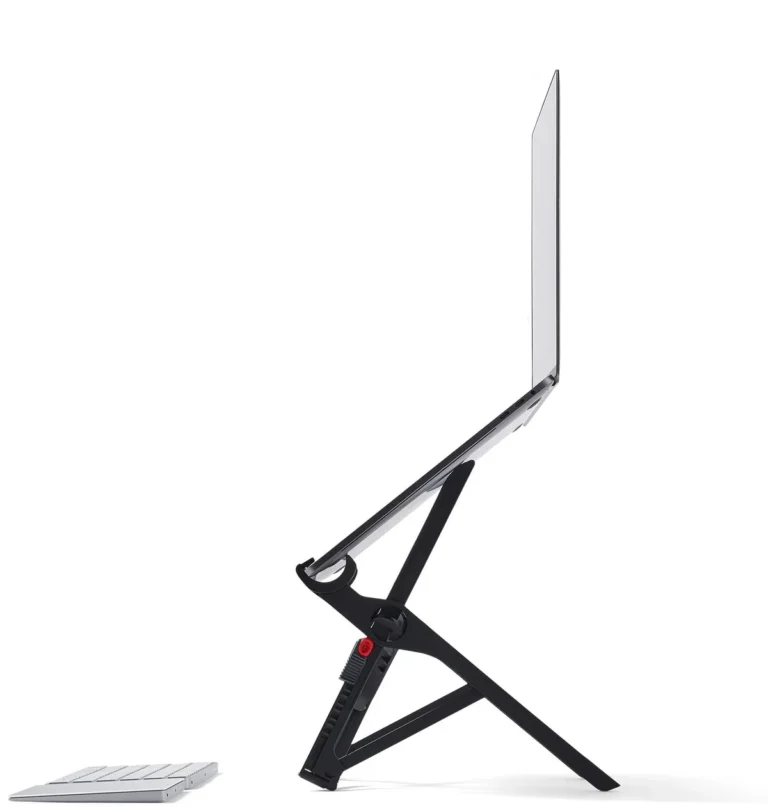
A laptop stand plus a basic external keyboard. Total cost about $60 for a no-fold metal stand plus a $30 wired keyboard. Raises the laptop screen to eye level, gets your wrists into a neutral typing position, and fixes the head-down posture that causes most WFH neck pain. The single highest-impact ergonomic change at this price.
Is a standing desk worth $799?
For daily-use WFH over 30 hours a week for several years, yes. The UPLIFT V2's dual-motor stability and 7-year motor warranty pay back over a decade in a way the $200 single-motor budget desks don't. For a secondary or occasional-use setup, the budget pick is fine. The differentiator past year three is motor reliability, which is where the cheaper desks fail.
Should I prioritize the chair or the monitor first?
Chair. The chair is what your body sits in for 30+ hours a week. A bad chair causes the lower-back and hip pain that compounds over years. A bad monitor causes eye strain that resolves after a day off. Get the chair right first, even if it means using your laptop screen for another month while you save up for the external monitor.
How do I set up a WFH corner if I don't have a spare room?
Pick a corner of the room you don't use for relaxation (the living room near the window or the kitchen-adjacent dining nook are common). Use a folding desk that can compact when you're not working (the IKEA NORDEN works). Put the chair in a closet at end-of-day if visually closing the workday matters. The full walkthrough is in our ergonomic-home-office guide.